Voice activated cell phones for seniors promise something simple: say a name, and the call happens. The real question is whether the phone hears you correctly, works without Wi-Fi, and stays easy to use after the novelty wears off. Plenty of families buy a phone and discover the voice features only work in ideal conditions.
Quick answer: Choose a phone built around voice commands, such as a flip phone with a dedicated voice-dial button or a smartphone with a voice assistant set to always listen. Test it in a quiet room and in a noisy kitchen before you commit. Hearing aids, accent, and background noise matter more than the spec sheet.
This article explains how these phones work, why they help, and which habits prevent the most common frustrations. You will finish knowing what to check before buying and what to set up on day one.
What is voice activated cell phones for seniors?
A voice activated cell phone lets the user place calls, send messages, and check the time or weather by speaking instead of tapping small buttons. The category covers three broad designs, and each one suits a different person.
The category also includes tablets and smart speakers configured for calling, though these stay tethered to a home network and rarely travel. They suit someone who spends most of the day in one room and wants a large, forgiving interface.
The three main designs
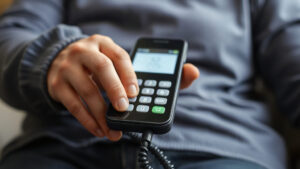
Simple voice-first phones look like classic flip phones but include a physical voice-dial key. Press it, say "Call Margaret," and the phone dials. These models typically have large keys, loud speakers, and simplified menus.
Standard smartphones with voice assistants rely on Siri, Google Assistant, or a similar service. The user says "Hey Google, call my daughter," and the assistant finds the contact. These phones offer far more features but demand more setup and a learning curve.
Voice-enabled landline replacements sit in a dock at home and connect through a cellular signal rather than a phone line. They often include a speaker that works across the room.
What the voice features actually do
Most of these phones handle a core set of tasks well: dialing contacts by name, answering incoming calls hands-free, reading text messages aloud, and setting reminders. Some add emergency calling, medication alerts, and location sharing for family members.
Speech recognition quality varies widely. A phone that understands clear speech in a quiet room may struggle with a strong regional accent or a raspy voice. That gap is the single biggest source of disappointment in this category.
Dialing a saved contact by name is a much easier task than dictating a text message. A phone can be excellent at the first and frustrating at the second, so test the specific task your parent needs most.
Who these phones suit
The best fit is someone with limited dexterity, vision loss, or memory concerns who still wants independence. Someone with significant hearing loss needs a model with hearing aid compatibility and a loud speaker. A person with advanced cognitive decline may need caregiver-managed calling instead of open voice commands.
Takeaway: Match the phone design to the person’s daily task, not to the longest feature list.
Why voice activated cell phones for seniors matters

Small screens and tiny keypads create real friction. A person with arthritis can struggle to hit a contact icon, and poor vision turns a contact list into a blur. Voice control removes that barrier with a single spoken phrase.
Caregivers benefit too. Checking in without a lengthy explanation of which button to press keeps daily contact light and frequent, which matters for people who live alone. A short call placed by voice can become a habit where a complicated dialing routine once stood in the way.
Beyond calls, spoken reminders and alarms support routines that protect health. A voice prompt to take medication or a spoken alert for an upcoming appointment works without reading small print. These small supports add up to a phone that feels like a helper rather than a hurdle.
Safety and independence
Falling or feeling unwell at home makes quick calling valuable. A voice command works when hands are full, when the person is on the floor, or when reading glasses are out of reach. Several models support hands-free answering, so a call gets picked up without fumbling.
Independence matters just as much. A parent who can call a grandchild without asking for help keeps a sense of control. Families spend less time troubleshooting and more time talking.
Confidence during setup and daily use
A phone that responds reliably builds trust. A phone that mishears a name three times gets abandoned in a drawer. Reliability depends on three factors: a strong cellular signal, a quiet listening environment, and a well-organized contact list with clear, distinct names.
The limits worth knowing
Voice control does not fix every problem. Loud background noise, such as a television or a busy street, reduces accuracy. Many phones require an internet connection for advanced voice features, which matters if the user has no data plan. Battery drain also rises when a phone listens constantly for a wake word.
Takeaway: Voice control delivers real safety and independence gains, but only when the phone is reliable in the user’s actual environment.
Best practices
Getting good results comes down to a few practical steps. Do these before the phone becomes the person’s primary device.
Pair each saved contact with a backup method. When a voice command fails, the user should have a single obvious fallback, such as pressing and holding a photo key for the same person. That redundancy prevents a small recognition error from turning into a missed call or a moment of panic.
Set volume and speech speed on speakerphone during the first call, not in a menu. Hearing the assistant at real loudness in a real room reveals whether it is audible over a television. Adjust once, then leave it alone so the user is not tempted to change settings later.
Choose and test before committing
Bring a short list of names to the store. Ask to test the phone by dialing three contacts in a quiet spot, then repeat the test near a speaker or doorway. Check whether the phone supports hearing aids and whether the voice features work over cellular data alone.
Confirm the return window in writing. A 14-day trial lets the user live with the phone and reveals problems that a store demo hides.
Set up the contact list carefully
Short, distinct names work best. "Call Bob" is easier than "Call Robert J. Thompson Junior." Use one name per person and avoid contacts that sound alike, such as "Ann" and "Dan."
Add the three or four most important contacts as voice-dial shortcuts. Most users only need a handful of names at their fingertips.
Train the voice, not just the phone
Spend one session teaching the exact phrasing the phone expects. Many assistants respond to a single, consistent command. Write the phrase on a card and tape it near the charger.
Run a practice call while the person watches, then let them try it. Repeating the same task three times builds the muscle memory that makes voice dialing automatic.
| Setup task | Why it matters |
|---|---|
| Short contact names | Reduces misheard commands |
| Written command card | Removes guesswork |
| Quiet charging spot | Improves accuracy at home |
| Test call with family | Builds confidence |
Takeaway: A careful setup session prevents most of the frustration that follows a new phone.
Common mistakes to avoid
Most problems with these phones trace back to a handful of avoidable errors.
Assuming the user will remember the setup session is another frequent misstep. Recognition depends on the phone learning a consistent pattern, so expect a week or two of adjustment rather than instant perfection. Families who treat the first misdial as a failure often give up too soon, while those who log which names fail and adjust the contact list usually see steady improvement.
Buying without checking coverage indoors addresses the most common cause of poor voice accuracy. Walk through each room where the phone will be used and note where bars drop, then consider a microcell or a different carrier before blaming the handset. A phone cannot dial reliably on a signal that fades near the kitchen window.
Buying for features instead of fit
A smartphone with every assistant feature can overwhelm someone who just wants to call family. A simpler flip phone with one voice key often serves better. Match complexity to the user’s comfort level, not to what seems most modern.
Ignoring the network and plan
Voice features on many phones need mobile data. Check the plan covers data use and that the signal is strong inside the home. A weak signal makes even good voice recognition unreliable.
A phone that works in the store may fail in a basement apartment or near a loud television. Keep the packaging and test at home within the return window.
Skipping the follow-up
New devices often get abandoned within weeks without reinforcement. Call the user in the first few days and ask them to dial you by voice. Praise the effort and solve small problems early.
Forgetting accessibility settings
Larger text, higher volume, and slower speech rates are usually buried in settings menus. Turn them on at setup. Adjust the assistant’s speaking speed if the user finds it too fast.
Takeaway: Fit, network reliability, and early follow-up decide whether the phone gets used or shelved.
FAQ
Do voice activated phones work without an internet connection?
Some basic voice-dial features on simple flip phones work over the cellular network alone. Advanced assistants, such as reading messages aloud or answering questions, usually need mobile data or Wi-Fi. Confirm the specific model before you buy.
How much should I expect to pay?
Prices vary by design. Simple voice-first phones often cost less than mid-range smartphones, and voice-enabled home phones sit somewhere between. Add the monthly plan cost when comparing, since data needs differ by model.
What if the phone cannot understand my parent’s voice?
Try shortening contact names and reducing background noise first. If accuracy stays poor, test a different model in the store. Speech recognition quality differs noticeably between phones.
Are these phones suitable for someone with hearing loss?
Many models include hearing aid compatibility and amplified speakers. Look for those labels and test the volume in person. A phone with visual call alerts helps too.
When is a voice phone not the right choice?
If the user has significant memory loss or cannot follow multi-step commands, a caregiver-managed phone or a medical alert device may serve better. Voice control works best for people who can state a clear request.
Conclusion
Voice activated cell phones for seniors work best when the design matches the person, the contact list is short and clear, and someone tests the phone in the actual home. Safety and independence gains are real, but they depend on a strong signal and an honest trial period.
Start with one concrete step: write down the three people your parent calls most, then test a phone by dialing those names in a store. Bring the list home, run the same test there, and keep the receipt until the phone proves itself. Once it does, you will likely hear about it on a call they placed themselves.