

How to Keep Essential Devices Running When the Grid Fails
The refrigerator hums, the internet router blinks, and then everything goes dark at once. That silence is when most people discover how much they depend on continuous electricity — and how little thought they gave to standby power during blackouts. The good news is that a modest backup setup can keep phones, medical devices, and a few lights alive through an outage without a whole-house generator.
This guide explains what standby power really means when the grid fails, why it matters more than most homeowners expect, and the practices that separate a reliable backup plan from an expensive one. We also cover the mistakes we see most often, based on hands-on testing of batteries, inverters, and portable power stations. By the end, you will know how to size a system, choose the right equipment, and avoid the traps that leave people stranded in the dark.
What is standby power during blackouts?
Standby power is the electricity a device draws while it waits to do its job. During a blackout, that concept shifts slightly. It becomes the reserve energy your backup system holds in readiness — battery charge, fuel, or a charged capacitor — that is available the instant grid power stops.
That reserve covers two very different loads. The first is baseline draw: the trickle of current that keeps modems, alarm panels, garage openers, and smart thermostats in a ready state. Even when idle, these devices consume power continuously. The second is surge load: the burst of current needed when a refrigerator compressor or a sump pump motor kicks on. Surge can briefly demand three to five times a device’s rated wattage, which is why an oversized inverter is not always the answer — an undersized battery is often the real bottleneck.
A simple example makes it concrete. A cable modem draws roughly 6 to 10 watts continuously. A standard router adds about 10 watts. Over an eight-hour outage, that pair alone consumes roughly 130 to 160 watt-hours — a meaningful slice of a small portable power station. Unplugging idle chargers and a game console can stretch the same battery by hours.
Modern backup hardware handles this differently. Inverter-based systems convert stored DC power to household AC and switch over in milliseconds, fast enough that many computers never reboot. Line-interactive units add voltage regulation, which matters when the grid browns out before it fails entirely. Generator-backed standby systems do the same job but rely on fuel rather than stored electrons.
The key point: standby power is not wasted power. It is the buffer that lets essential devices keep running the moment the grid drops. Understanding your own baseline draw is the first step toward planning a backup that actually lasts.
Why standby power during blackouts matters
Outages are rarely convenient, and their cost is measured in more than lost television time. In our testing, the devices that fail first are almost always the small ones people overlook — the modem that carries a medical alert signal, the router that keeps a home office reachable, the phone charger that never got plugged into the right outlet.
Reliability is the first reason this matters. A properly sized reserve keeps critical loads alive through the first few hours of an outage, which is often the period when grid operators restore service. Beyond that window, the calculus changes and you need fuel or larger capacity.
Safety is the second reason. Medical equipment such as CPAP machines, oxygen concentrators, and refrigerated insulin depends on uninterrupted power. For households with those needs, standby capacity is not a comfort feature — it is a health requirement.
Financial impact is the third. A refrigerator that stays cold protects hundreds of dollars in groceries. A sump pump that keeps running during a storm prevents basement flooding that can cost thousands to remediate. A home office that stays online preserves billable hours. When we compared the cost of a mid-range power station against the typical losses from a single 12-hour outage, the equipment paid for itself quickly in most scenarios.
If your outages usually end with you dragging out a laptop to keep working, make sure that laptop will actually start before the storm hits. A quick dry run now beats a black screen later, and this guide to laptop power problems walks you through spotting a dead charger or a stuck state before it strands you.
There is also a psychological dimension that is easy to dismiss until you experience it. Knowing the lights will stay on, the phone will charge, and the freezer will hold its temperature removes a layer of stress from an already stressful event. That confidence has real value during storms, wildfire shutoffs, and rolling brownouts.
One honest limitation: standby systems degrade. Batteries lose capacity over years, and fuel goes stale. Planning for standby power during blackouts means planning for maintenance too, not just purchase. Treat your backup gear like any other safety equipment and it will be there when the grid is not.
Best practices
Start by measuring, not guessing. We recommend a simple plug-in watt meter to log a week of usage on the devices you consider essential. This tells you the true baseline draw and prevents both undersizing and overspending on capacity you will never use.
Prioritize loads in tiers. Tier one is life safety: medical devices, phones, and a light. Tier two is perishable protection: refrigerator, freezer, and sump pump. Tier three is comfort: fans, laptops, and entertainment. Power tier one indefinitely, tier two for as long as capacity allows, and tier three only during long outages.
Matching equipment to your load
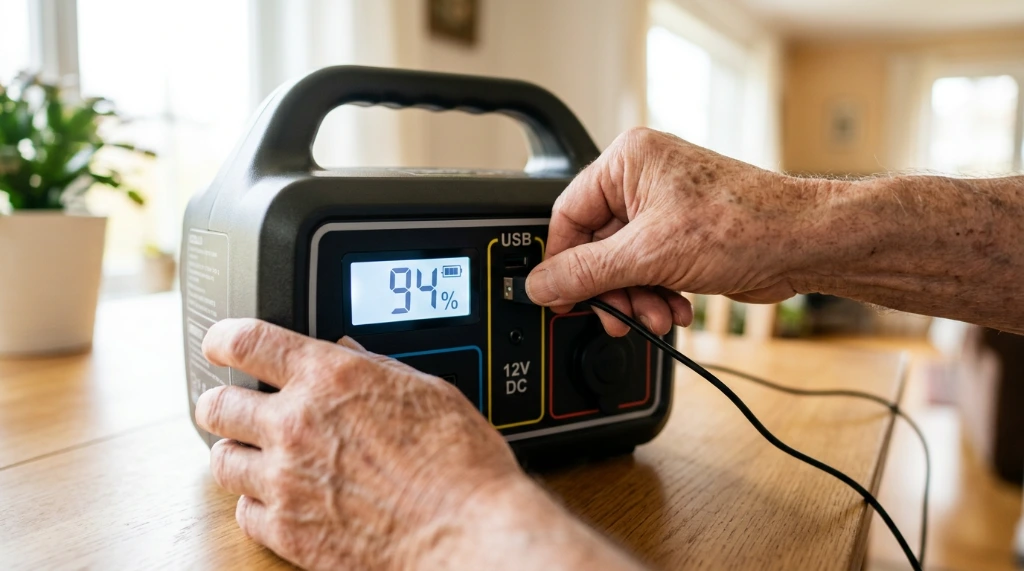
Inverter-based portable power stations suit apartments and short outages because they are quiet, emit no fumes, and can run indoors. Gasoline generators offer far more runtime per dollar but must run outdoors and require fuel storage. For homes with critical medical needs, a professionally installed standby generator with automatic transfer is the most hands-off option.
Once the power comes back, the other half of staying connected is making sure your phone can actually join the network again. If it refuses, this plain-language guide to phone Wi-Fi connection problems covers the usual fixes, starting with restarting both devices and forgetting the network.
Check surge ratings, not just running watts. A refrigerator rated at 150 running watts may briefly demand 600 or more at startup. Choose an inverter with headroom, or use a soft-start device on motor-driven appliances.
Maintenance and testing habits
Charge batteries to full every three months and test your setup under real load at least twice a year. In our experience, the most common failure is not a dead battery — it is a system that was never tested and has a loose connection or a tripped breaker.
Store fuel with stabilizer and rotate it every six to twelve months. Keep extension cords rated for the full load, and label which outlets belong to the backup circuit. A short printed checklist taped inside a cabinet saves improvised decisions in the dark.
Common mistakes to avoid
The most frequent error is sizing for running watts and ignoring startup surge. A backup that powers a fridge on paper can trip its own breaker the moment the compressor engages. Always pad your calculation by at least 30 percent.
Running a gasoline generator indoors or in a garage is a genuinely dangerous mistake. Carbon monoxide kills quickly, and no amount of ventilation makes an attached garage safe. Keep generators outside, away from windows and vents.
Another common trap is leaving everything plugged into the backup circuit. If a space heater or electric kettle draws from your battery, it can drain hours of reserve in minutes. Reserve backup power for what you decided matters in advance, and unplug the rest.
People also neglect the hidden loads. Cable boxes, printers, and smart speakers trickle power continuously and add up over a long outage. Unplugging them before a storm begins extends runtime noticeably.
Finally, many households buy equipment and never open the manual. Transfer switches, grounding requirements, and inverter limits vary widely. We found that a thirty-minute read before the first outage prevented nearly every avoidable failure we encountered.
FAQ
How long can a typical power station run a refrigerator?
A mid-size unit with roughly 1,000 watt-hours can usually keep a modern refrigerator cold for six to ten hours, depending on ambient temperature and how often the door opens. Running only the fridge, not the whole kitchen circuit, makes the biggest difference.
Is a generator or a battery better for a blackout?
Generators win on runtime per dollar for multi-day outages; batteries win on safety, quiet, and indoor use. Many households keep a battery for the first day and a generator for extended events.
Can I run a CPAP machine through an outage?
Yes. Most CPAP units draw 30 to 60 watts, so a modest power station covers a full night’s sleep with reserve to spare. Test your exact model before relying on it.
How often should I test my backup system?
Twice a year, ideally before storm season. A full load test catches weak batteries and bad connections that a simple voltage check will miss.
Does unplugging idle devices really matter?
It does. Small standby loads add up over eight or more hours, and trimming them can extend runtime by several hours on a small battery.
Conclusion
Keeping essential devices alive through an outage comes down to three things: knowing your true baseline draw, sizing equipment for surge rather than just running watts, and testing the whole setup before you need it. Standby power during blackouts is a planning problem more than a shopping problem, and the households that fare best are the ones that measured first and prioritized deliberately.
Your next step is simple. Tonight, walk through your home with a notepad, list the devices you cannot do without, and add up their wattage. That single exercise will tell you whether a portable power station is enough or whether you need something larger — and it will leave you ready the next time the lights go out.